image_pdfimage_print

Summaries Intro to Infographics

image_pdfimage_print

I always like to have students do different types of summaries of their readings. Often, I have them do visual summaries, which can take many shapes and forms, and in a class on information design, visual summaries seem even more apt.

On 1-24, we read some things that on the surface didn’t completely go together, but with some thinking together, you all realized that the three primary readings did indeed go together. Following are your interpretations of how the Shron, Yau, and Sturken & Cartwright readings intersected.

While the Venn diagram may not have been the most appropriate visualization, it did work for this group’s point that the readings did complement one another and that not everyone will like every image.

The emphasis on audience in this one always make a tech comm teacher smile. And it also worked at trying to place the information in an hierarchical flow.

This was the most literal interpretation of the readings. By that I mean, it took some of the key terms from the readings and tried to map them together. If you follow it through, it does do a good job of highlighting those key terms and how they work together to build arguments.

As the most creative of the group, this dimensional box was the most minimalistic, but it also captured the big points the authors were making. Starting broadly at arguments and then entering the box, this student group did visually show how the three readings worked together.

I’m a sucker for a process flow chart that requires responses so this visualization had me at the “start here.” What is great about this one is that it walks through the readings big concepts by connecting them to practice!!

All in all these sorts of visualization exercises always produce good results and surprising results. The differences in approaches is what makes teaching fun, and it’s even funner when the results show the students did understand and were able to talk about the readings.

First Data Visualizations

image_pdfimage_print

On the first day of class, I sent you out to gather some data. After we had crafted some definitions, I figured you were ready to get some data and then try your hand at visualizing some things.

Following are some of your first attempts.

While this may have been one of the simplest data sets, it was inventive in the way it was displayed. It’s counting the steps between the floors in the building where we meet for class. But that simply data was then displayed in a way that helped to convey the scale and the feel of actual steps. It’s a clever and innovative take!

This was an interesting display of tracking the time it took to collect the data. In a display of meta-data, the students used the time frame I gave them as the framework for collecting their data, which was how far they could go and get back in the time allotted. The timeline was a good choice for display, and I was impressed with the specifics of the data and the attempt at making it to scale.

What I loved about this look at the number of lockers being used in our building is that it was designed to be interactive. The image on the left is the original view and then on the right, the yellow tab flips over to reveal the percentage of lockers. So not only was it interactive, there was a small bit of analysis going on and attention to how to effectively design the information!

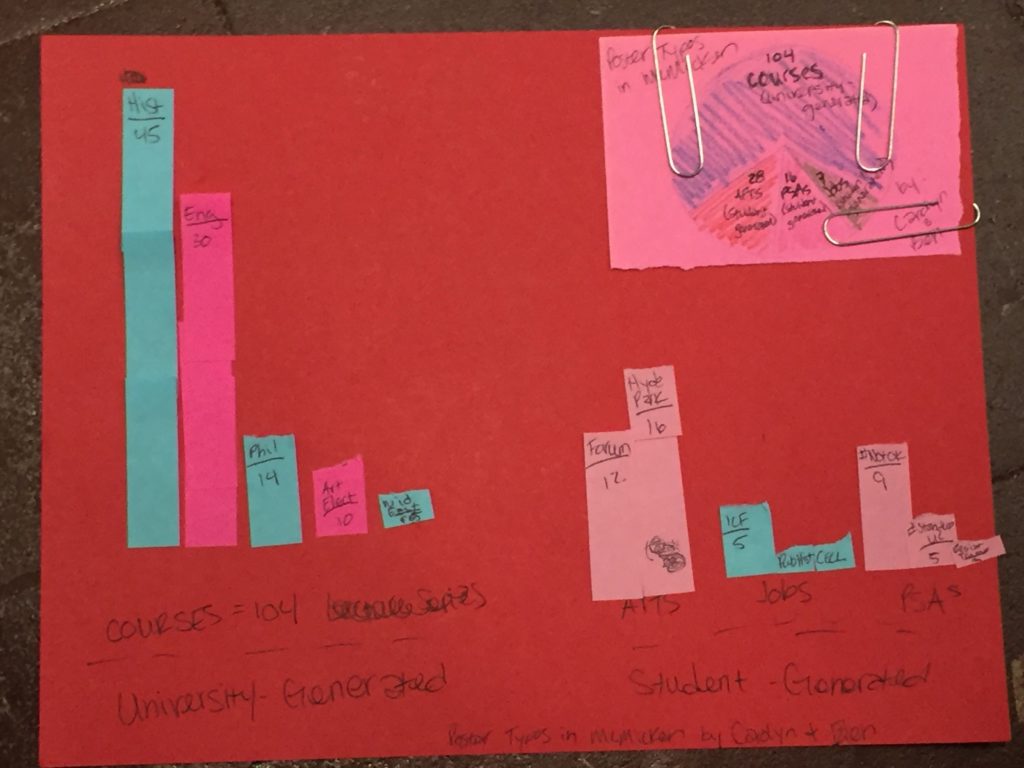
I needed to have more supplies this night and completely forgot to go to the store. (Problems resolved by prototyping night!) So once you forgive the issues with keeping things affixed to the page, this was a great first exercise because of the types of data visualizations it used. This was an analysis of different types of flyers on the bulletins boards in the building. The bar charts are comparing university generated (on the left) to student generated (on the right), and further, data is included on the departments. The pie chart is then trying to take all the information and display it. Now, there are some things we could nitpick, but this was an excellent first attempt that really took the readings and the class discussion to heart.

My photography skills makes this hard to understand and appreciate, but this had to be the most complex information design of the night. As the title indicates, “Cigarette butts around Mcmicken Perimeter: A “smoke Free” Campus,” this product is meant to make an overall argument about the campus’ smoke free policy. It depicts where cigarette butts have been found. The color coding was a nice touch!!


Project Management Questions

image_pdfimage_print

I always integrate project management readings and discussions into my production oriented courses. It’s a good skill set for students to pick up, and discussions of project management tips and techniques needs to be more formalized in our programs. As a long time consultant, being a good project manager was a key to my success not only on specific projects, but in my consulting career as a whole.

So students had to read some stuff on project management and then we attempted to do an in-class exercise about the readings with an emphasis on collaboration. But, alas, that exercise was in some ways a total bust. What we did get out of the exercise was a big laugh and ongoing reference to the failed exercise where we all ended up standing against in the wall in weird disjointed circle.

In any case, following are some of the questions that students asked about project management and my answers to their questions:

  • How much variation between organizations is likely in regards to control given to info designers (or professional writers)?


  • Are there questions that are standard to ask clients/customers/user during the planning phase?


  • What does innovation really look like, especially within traditional project at a large organization? How often do these innovations fail?


  • Given pressure from above, how strictly should one adhere to the project plan?


  • Strategies for dealing with inflexibility that jeopardizes part of the project?


  • In large organizations with multiple project managers, how do all parties maintain effective communication with one another?


  • What is the best way to disseminate information in the impossible planning stage? Is simpler better?


Design Graphics

image_pdfimage_print

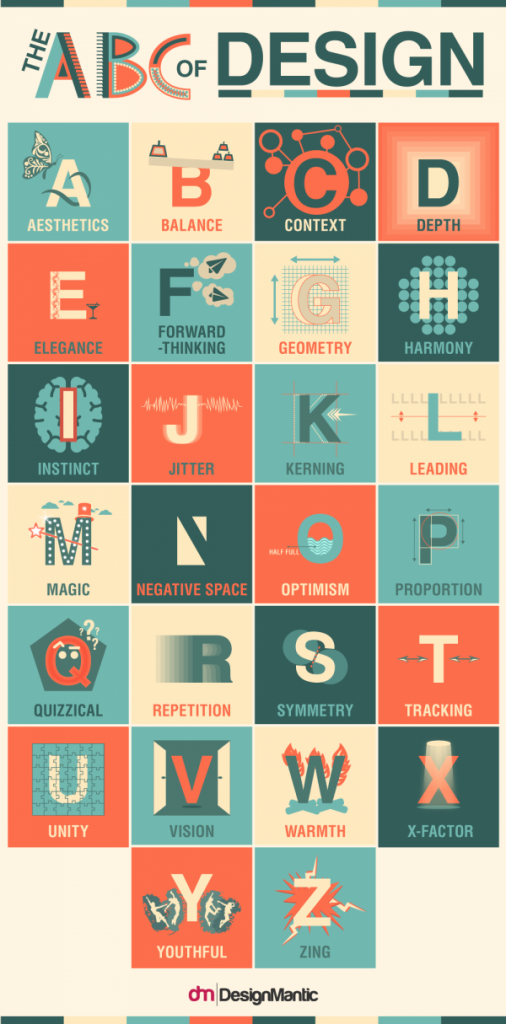
This is a great ABCs since it hits many of the big concepts in design in a way that is easy to remember.

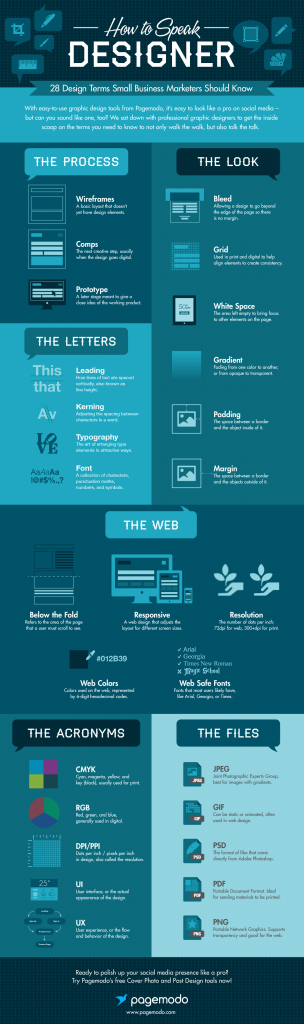
This gives you some background jargon to help understand how designers speak a little differently than writers.

An overview of the data visaulization process, or any design process really.

Rules of Document Design presented in an interesting way!

Save

Save

Save

Typography Graphics

image_pdfimage_print

This taxonomy of typography gives you a quick and pretty darn thorough overview of all the technicalities of typography.

Here’s another infographic that explains typography and fonts.

Some silliness about font personalities. (If you’re interested, folks in technical and professional communication have actually research typefaces. I’ll be happy to refer to you some sources.)


One of my favorite, silly things about fonts.

Short Video on the History of Typography

Save

Save

Save

Save

Save

The Urine Wheel

image_pdfimage_print

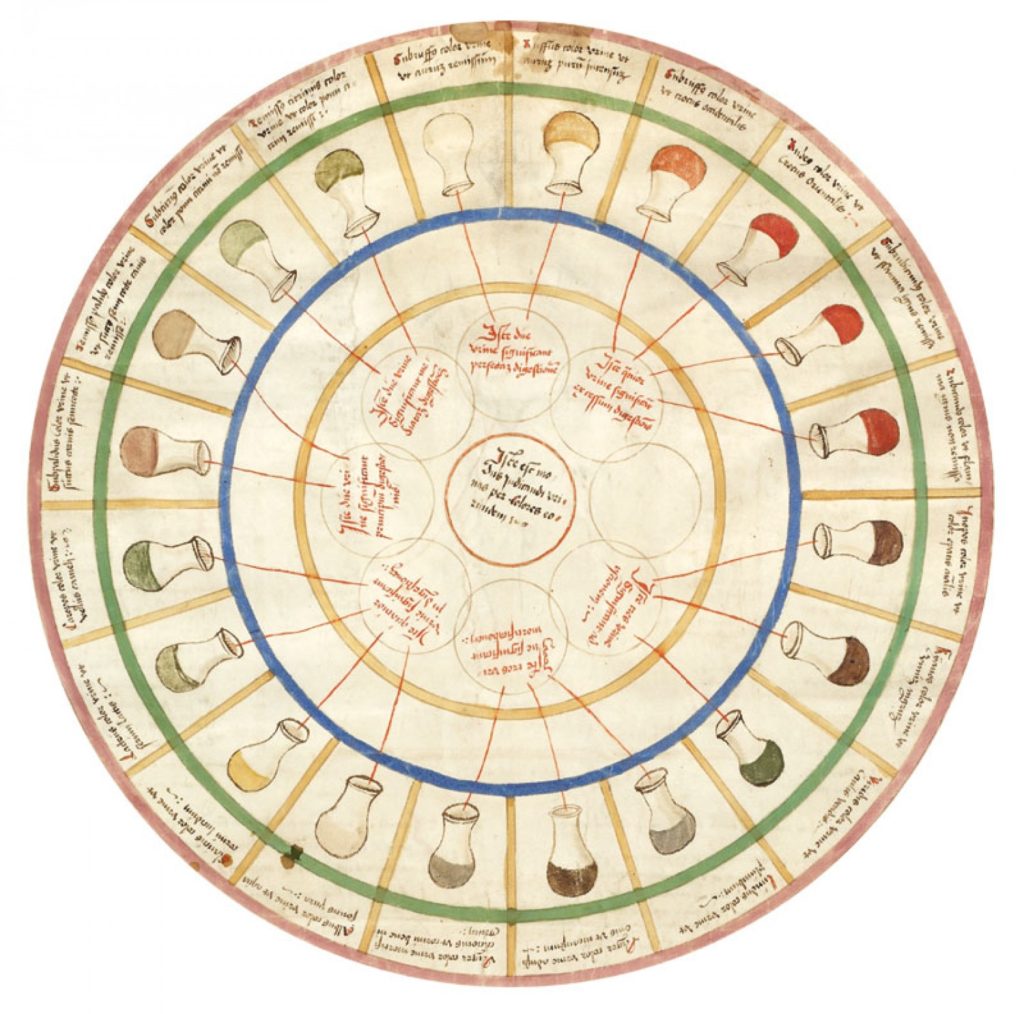
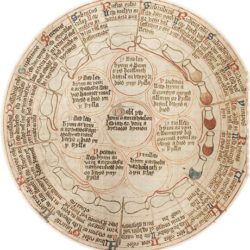
A couple of years ago in front of a room full of my professional colleagues I disclosed my love of the urine wheel. That’s the image you see on our home page in the “logo” spot.

Why do I love a urine wheel? Well, it’s a long, complex story so I’ll do the tl:dr version as it specifically applies to this class. The urine wheel is a classic example of sophisticated information design. It’s long history and use in medieval and early modern medicine also gives it a little bit of a cool factor. (at least in my mind 🙂

Not to mention, the modern version of uroscopy is still done in pretty much the same way. (But that’s a discussion for another day.)


What makes this a great historical example of information design is that it takes a lot of information and it makes it’s usable at a glance for a specific purpose and audience.

It also uses color and design effectively, along with the combination of words and images. We’ll talk more about it on the first day of class, but this is a brief overview as to why there’s a urine wheel on the home page of our course website!

Let me know if you have specific questions. I’m happy to answer them.