Prototypes

In class on 2-14, we had a little wine and cheese to help us get through prototyping. (Well, we really had the wine and cheese to sort of make up for the fact we had to have class on Valentine’s Day.)

In any case, the first lo-fidelity prototype is always a good indicator of where the students are in understanding the concepts we’ve talked and read about, and in understanding the goals of the assignment. Since we’re kind of at the mid-point of the term, the prototype exercise is helpful from an instructor standpoint on determining what areas we may need cover a little more.

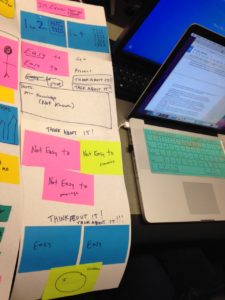
Here are some of the prototypes.
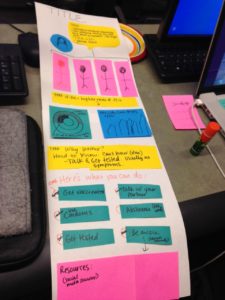
Prototype for STI infographic
Figure 1: Prototype for STI infographic

Prototype for STI infographic
Figure 2: Prototype for STI infographic

This group is a group of four so for the prototyping I had them split into two groups of two. The two versions actually have a lot of potential when the ideas are considered together. In other words, Figure 2 as developed visually, but it had a great idea for a theme that could be used to tie the whole thing together. Figure 1 incorporates some really strong ideas on visual features and specific topics that need to be included.
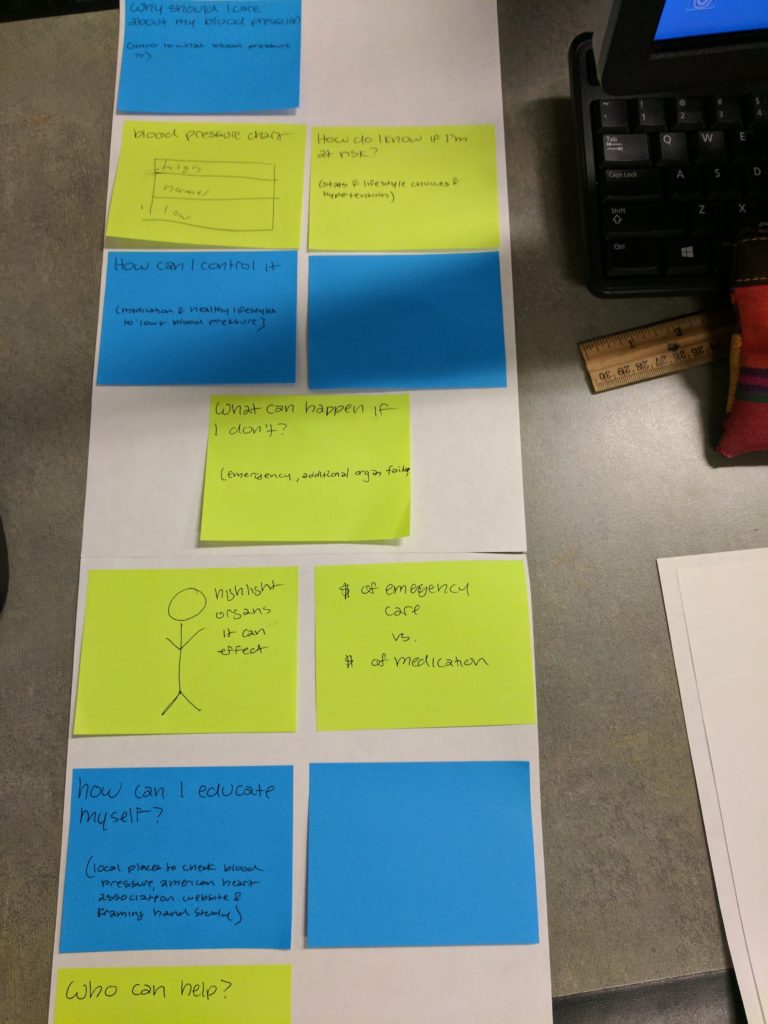
 Prototype for HBP infographic
Figure 3: Prototype for HBP infographic

The process of developing Figure 3 helped the students understand where the gaps were in their thinking about the assignment and it’s overall purpose. Thus the blank areas and post its. You can see that they have included topics and ideas of what information needs to be included, but it lacks a design theme or other information on design elements.
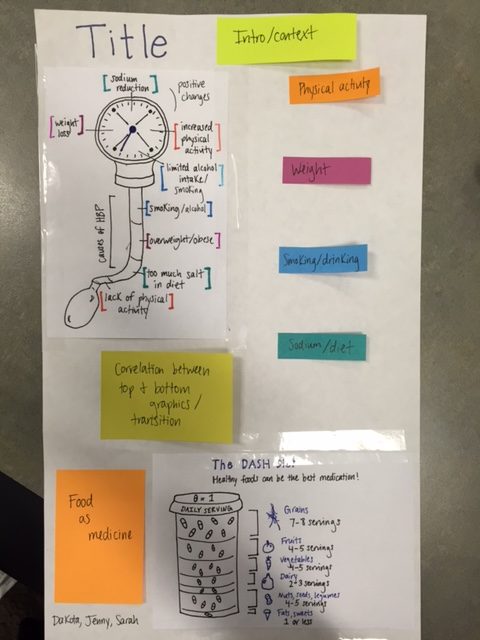
Prototype for HBP infographic
Figure 4: Prototype for HBP infographic

Figure 4 shows one of the most intriguing approaches to the assignment, and the students had worked hard at considering what data visualizations they needed to include. In this case the images in Figure 4 at the top and the bottom were produced prior to class (eager students working ahead) and then they spent time in class trying to figure out the best way to lay out their narrative and make the points they wanted to make that complemented the visuals they created. They also spent a bit of time considering changes that may need to made to the visuals and how to integrate them into an overall design theme that they need to develop.

All in all, the prototype exercise accomplished the big goals of the night, and that is, it helped the students start to think in holistic terms of what they had to accomplish and in doing so they were able to see some of the tasks that they still needed to do.

New iterations will come next week!

Save


What you’ve learned

One of my favorite in class writing assignments is to ask students to tell me what they know. Typically I do this around the mid-point of the term to find out what is sticking and what areas we may need to go over a little more.

I am always surprised at these brief in class writings because they highlight big and small what has been going well in class and what hasn’t been going so well. This particular class is a “crossover course,” which means that has both undergrads and grads in it. This type of course is particularly challenging to teach and as a production course (that has no prereqs), the technology aspect adds another layer too. Thus, it’s important to find out where the students stand in their learning.

Here is a list of some of things that students wrote that they have learned:

  • You can tell multiple stories in several different ways from just one set of data…(emphasis the students)
  • While part of the course is learning what effective information design is, we are also learning how to apply it.
  • Yau gave me an appreciation for just how murky the working definition of “data” can be
  • How will the data show this point (You first have to make sure you understand the data, and it does what you say it does. You can’t manipulate it in a way that falsifies information)?
  • The basics of creating an infographic. I have learned what kinds of charts NOT to use and when certain charts are acceptable.
  • I think the biggest takeaway that I’ve gotten so far from this class is learning about the story that data has to tell. Nathan Yau’s Data Points: Visualization that Means Something really put that into perspective for me. The way he related a data set to a photographer’s photos of a wedding helped me visualize the power of data. He compared one picture to a data point and the whole wedding album to a data set. It made me realize how important it is to look at individual data points and data sets.
  • We learned the importance of planning and process in effective project management.
  • the psychology behind why we are attracted to certain layouts, fonts, colors, etc.
  • audience analysis helps to guide what info to include and how to display it. always be aware of what medium your info will be presented on and plan accordingly
  • the importance of tailoring your argument to suit the audience
  • feeling more comfortable with data and analysis. 9I’m more of a visual person so I’ve had to work on balancing them both.)
  • [information] must be designed to enhance the way the human mind works…requires a fluid and iterative design process
  • how it is important to understand the order we navigate and present visual documents
  • let the data speak for itself and let that data guide and inspire you throughout the process, especially when it comes to how you will be presenting it.

And a number of students pointed to the technical skills of learning photoshop and other tools; specific points about different readings such as color, typography, cognitive processing, CRAP, and personas; notes on learning more about how to research and find good information.

All in all, from a teacher perspective, this “tell me what you know” was insightful to show that the students are picking up a great deal!